App for Samsung Smart TV · Made in India
CCTV & IP Camera Viewer for Samsung Smart TV
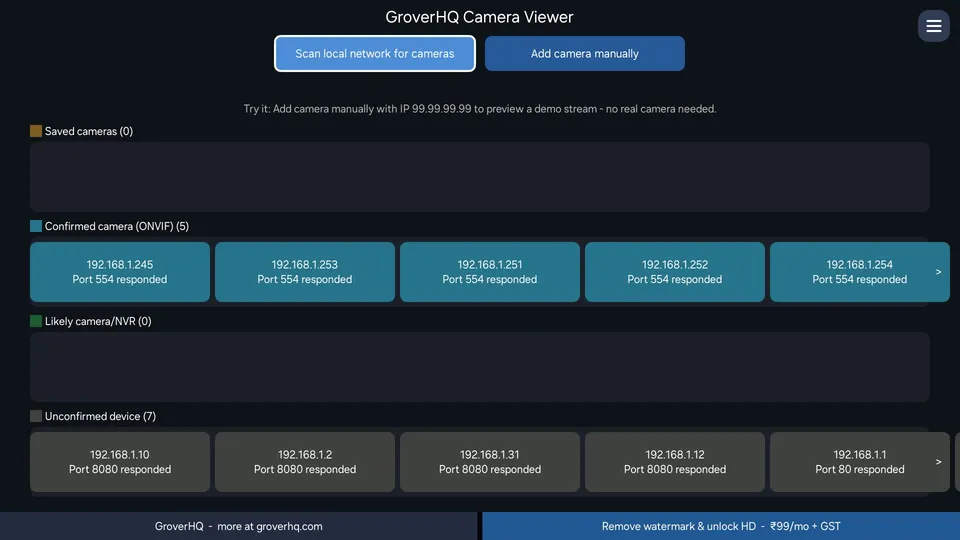
Turn your Samsung TV into a live monitor for the IP cameras, CCTV systems and NVRs/DVRs already on your home or office network. No extra screen, no phone app, no cables.
Always one button away
Someone at the door, a quick check on the baby or the pet, a glance at the shop counter or the office pantry: open the app, pick a camera and you are watching, right on the TV that is already on.
Key features
- Automatic network scan to find your cameras, or add one by IP address
- Works with standalone IP cameras and multi-channel NVR/DVR recorders, with a channel picker
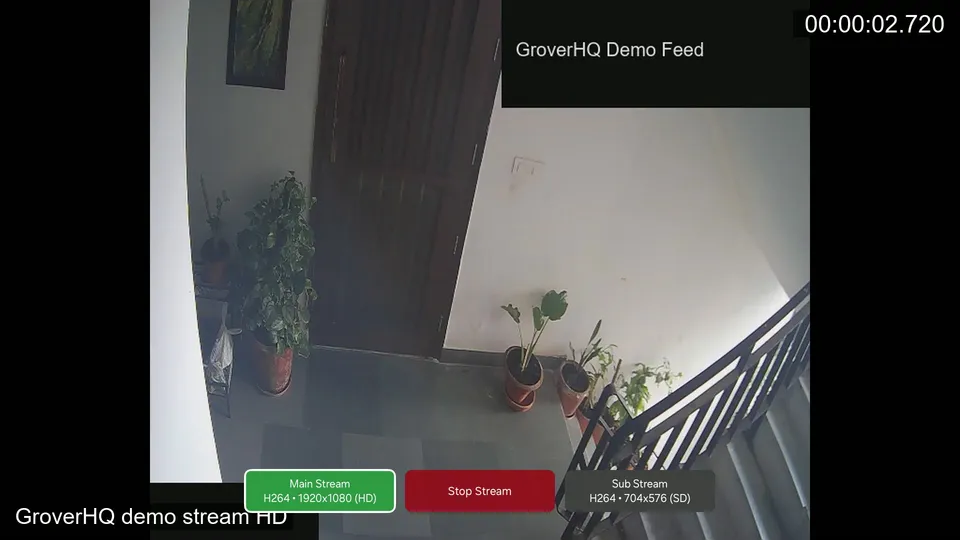
- Switch between Sub (SD) and Main (HD) streams, with live audio when your camera sends AAC sound
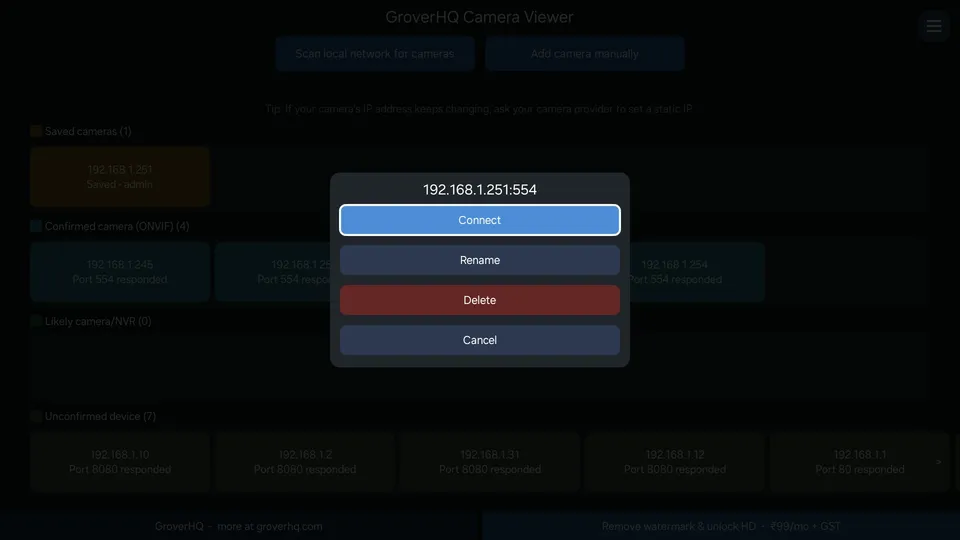
- Save cameras for one-button reconnect, and give each one your own name
- Simple remote-control navigation: no typing beyond the one-time camera login
- Try the built-in demo camera first, no hardware needed
- Private by design: everything happens on your TV and your own network
Free and paid
Free
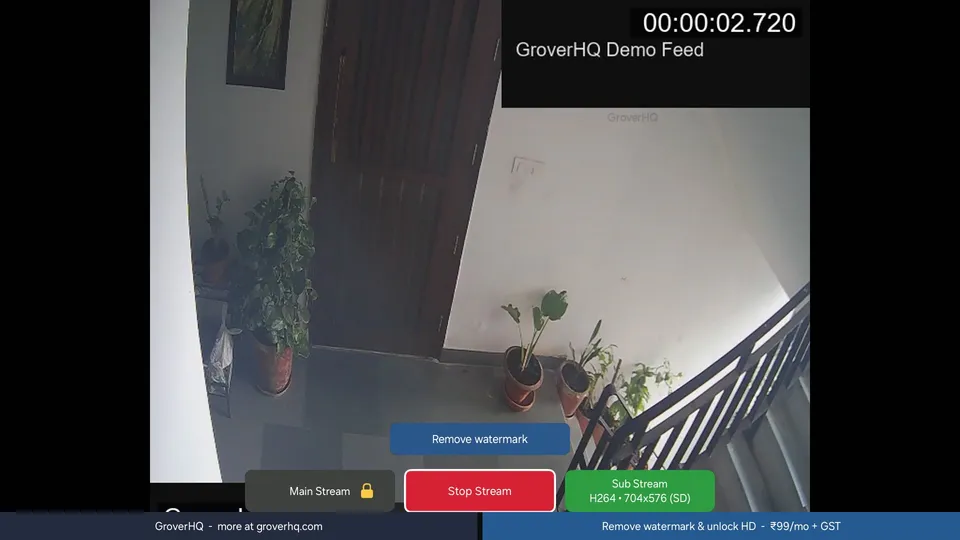
Live view at standard definition (the lower-resolution stream) with a small moving GroverHQ watermark. Saved cameras, channel picker and audio are all included.
Unlock · ₹99 per month + GST
Removes the watermark and unlocks the higher-resolution (Main) stream. Sold through Samsung Checkout, renews monthly until you cancel it in your Samsung account's subscription settings. Use Restore purchase in the app after a reinstall.
Compatibility
Works with IP cameras and NVR/DVR recorders that offer RTSP and/or ONVIF (H.264 or H.265 video). That covers most security cameras and recorders sold in India, including CP Plus, Hikvision, Dahua, Prama, Godrej, Matrix, Zicom, Secureye, Uniview, TP-Link (Tapo/VIGI), Reolink and other RTSP/ONVIF-compliant systems, plus generic cameras sold under many other names.
Make sure RTSP/ONVIF is enabled on your camera or recorder; some models need a separate ONVIF user. Cloud-only Wi-Fi cameras that do not offer RTSP/ONVIF will not work. Your cameras must be on the same local network as your TV. You are responsible for having the legal right to view every camera you connect.
New to RTSP? See how to find your camera's RTSP URL or compare ways to watch CCTV on a Samsung TV.
Private by design
Video decoding and rendering happen entirely on your TV. Camera passwords are encrypted and stored on the TV only. No video, no camera credentials and no usage data are sent to GroverHQ or anyone else. The one exception is a purchase: Samsung Checkout handles the payment and receives your Samsung account ID and purchase details.
Privacy Policy · Terms of Use · Security Policy · Lawful Use Notice
Questions
Which cameras and recorders work?
Any IP camera or NVR/DVR that offers RTSP video (H.264 or H.265) and/or ONVIF. That covers most security cameras sold in India, including CP Plus, Hikvision, Dahua, Prama, Godrej, Matrix, Zicom, Secureye, Uniview, TP-Link (Tapo/VIGI) and Reolink, plus generic cameras sold under other names. RTSP or ONVIF must be switched on in the camera or recorder, and some models need a separate ONVIF user. Cloud-only Wi-Fi cameras that do not offer RTSP/ONVIF will not work.
The scan does not find my camera. What now?
Make sure the TV and the camera or recorder are on the same local network, then use Add camera manually and type the camera's IP address (port 554 is the usual RTSP port). If you can, give the camera a fixed (static) IP address so it does not change.
Is it free?
Yes. The free version plays the lower-resolution stream with a small moving GroverHQ watermark. An optional subscription (₹99 per month + GST, sold through Samsung Checkout) removes the watermark and unlocks the higher-resolution stream. If your camera has only one stream, or both streams have the same resolution, that stream is free.
How do I cancel the subscription or get a refund?
Payments, cancellations and refunds are handled by Samsung Checkout under Samsung's terms. You can cancel in your Samsung account's subscription settings. If you need help, write to [email protected]. After reinstalling the app, use Restore purchase in the app menu.
Does it record video or play back old footage?
No. It is a live viewer only: no recording, no playback and no seeking. Your recorder keeps the footage.
Does my video or camera password leave the TV?
No. Video goes straight from your camera to your TV. Saved camera passwords are encrypted and stay on the TV. The app has no GroverHQ server and sends no data to us. The only exception is a purchase: Samsung Checkout handles the payment and receives your Samsung account ID. Read the full Privacy Policy for details.
Why does video take a few seconds to start?
Live camera streams usually start in about 5 seconds, and the picture can be a few seconds behind real time. Because of this, the app is not a safety or alarm system.
Does it play sound?
Yes, when your camera sends AAC audio. Some cameras send other audio formats (such as G.711), which are not supported yet.
Which Samsung TVs and countries are supported?
Recent Samsung Smart TVs (Tizen), in India. The Samsung TV Store listing shows whether your TV is supported. The app is in English.
Need help?
Write to [email protected] or see the support page.
Samsung, Tizen, Smart Hub and Samsung Checkout are trademarks of Samsung. Camera brand names belong to their owners. GroverHQ is not affiliated with, or endorsed by, Samsung or any camera brand.